Home / Forum / General Discussions / Tips for Running a Successful Chess Tournament

Tips for Running a Successful Chess Tournament

Whether you're organizing your first event or your hundredth, here are some practical tips we've gathered from our experience and from organizers around the world.

Before the tournament:

  1. Define the time control clearly (Classical, Rapid, Blitz) and specify increment if any
  2. Set the number of rounds based on expected participants (a good rule of thumb for Swiss: rounds = log₂(players), rounded up, but never fewer than the number that makes tiebreaks meaningful)
  3. Decide on tiebreak criteria in advance and publish them — this prevents disputes later
  4. Import the FIDE rating list on ChessPairings.org so player data is pre-filled
  5. Print QR-coded badges or table cards if you want a professional touch

During the tournament:

  1. Always publish pairings both digitally and on a printed board
  2. Handle byes and withdrawals immediately — delaying can affect future pairings
  3. Keep a log of arbiter decisions (forfeits, draws by agreement, etc.)
  4. If using FIDE Dutch pairing: trust the algorithm, but verify edge cases manually if something looks unusual

After the tournament:

  1. Export final standings and PGN files
  2. Submit results to your federation for rating processing
  3. Collect feedback from players — what worked, what didn't

What are your own best practices? Share them below!
Translations: CS · ES · FR · IT · RU

hello have used this sotfware for a tournament in my school, how do i load players that i have in my database for a new tournament

Bonginkosi wrote:
hello have used this sotfware for a tournament in my school, how do i load players that i have in my database for a new tournament...

Hi @Bonginkosi! Thanks for using ChessPairings for your school tournament.

There are two ways to load your players, depending on whether they have a FIDE ID or not.

Option A - Players WITH a FIDE ID

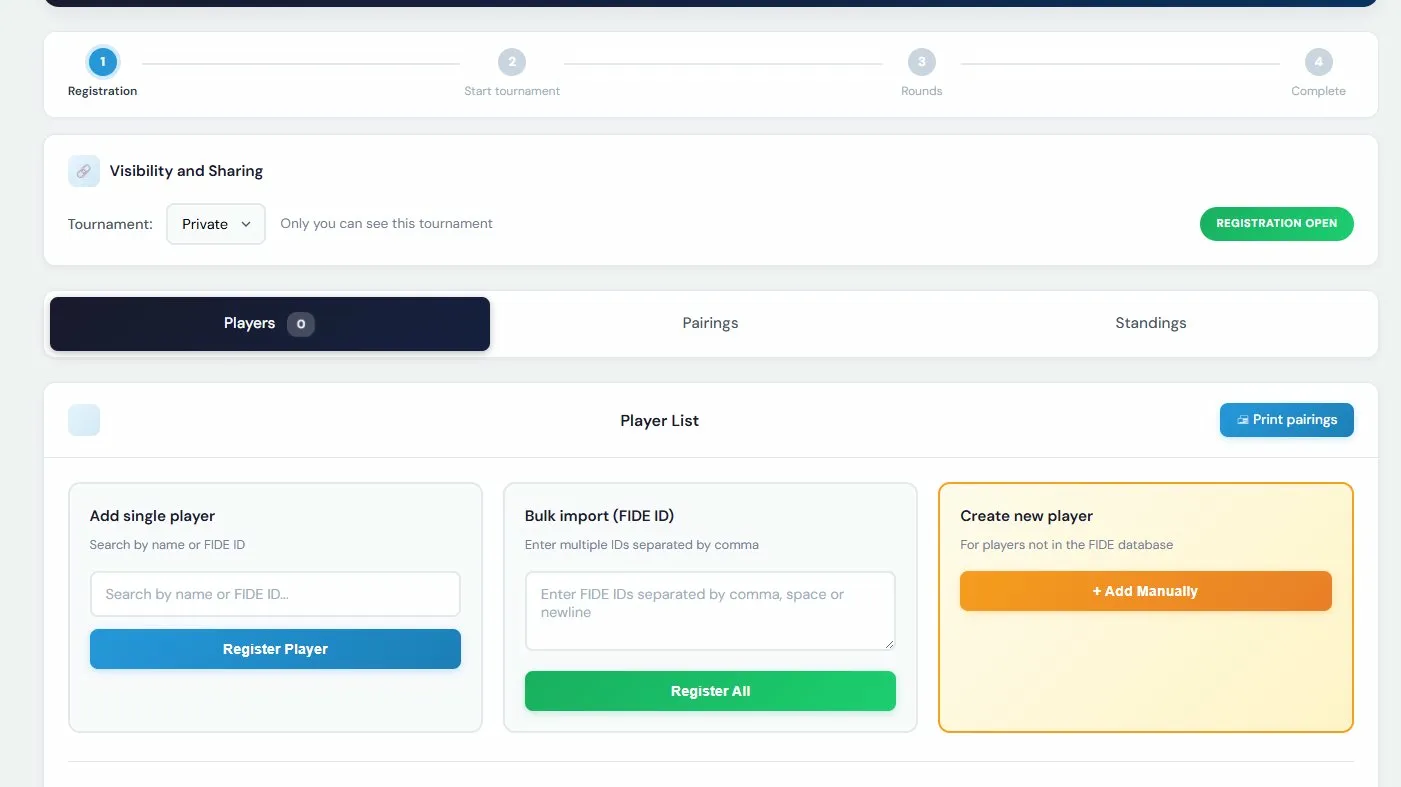
When you create a new tournament, in the Registration phase you'll see a "Bulk import (FIDE ID)" box. Just paste all the FIDE IDs separated by comma, space, or newline, and click "Register All." The system will pull their names, ratings, and federation automatically from our database (1.8M+ players).

Option B - Players WITHOUT a FIDE ID (most common for school tournaments)

This requires two steps:

Step 1 - Add players to "My Players"

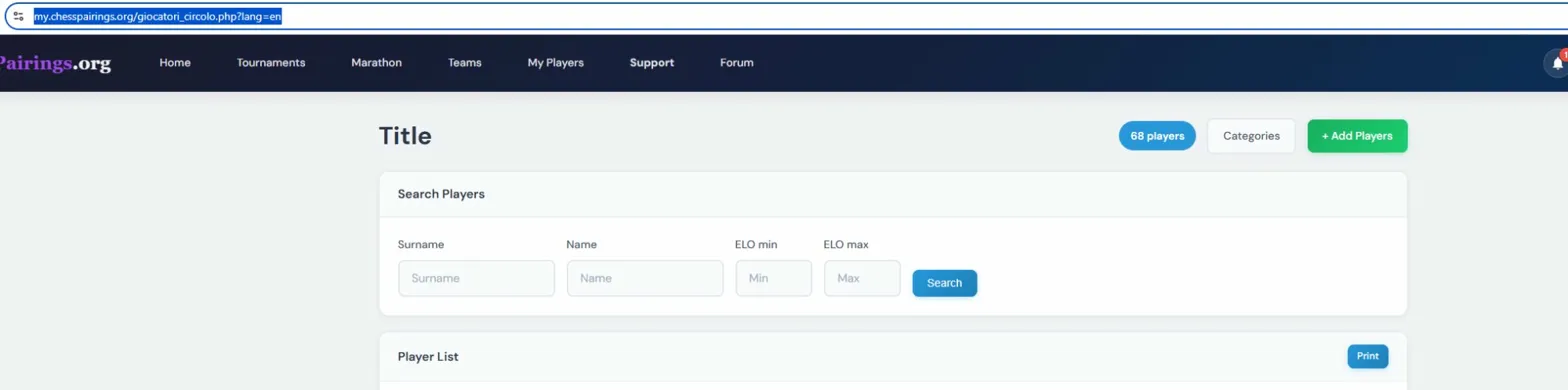
  1. Go to My Players in the top menu
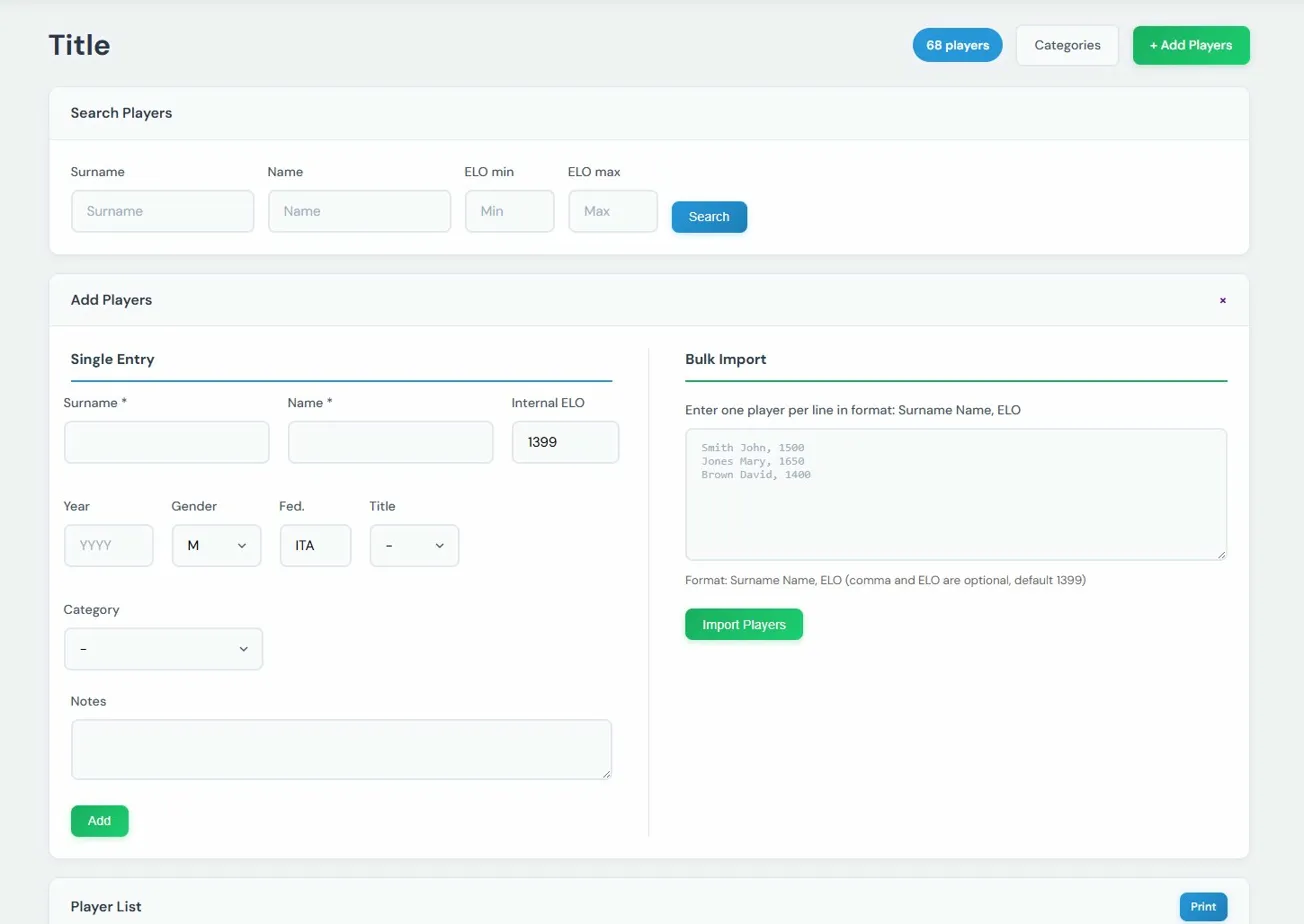
  2. Click the green + Add Players button

  1. On the right side you'll see Bulk Import - this lets you add many players at once
  2. Enter one player per line in this format:

Smith John, 1500 Jones Mary, 1650 Brown David, 1400

  1. Click Import Players and they'll be added to your player database.

The comma and ELO are optional - if you don't specify an ELO, the system assigns a default of 1399.

Important: use a comma only between the name and the ELO. The format is: Surname Name, ELO

Step 2 - Create the tournament with the right settings

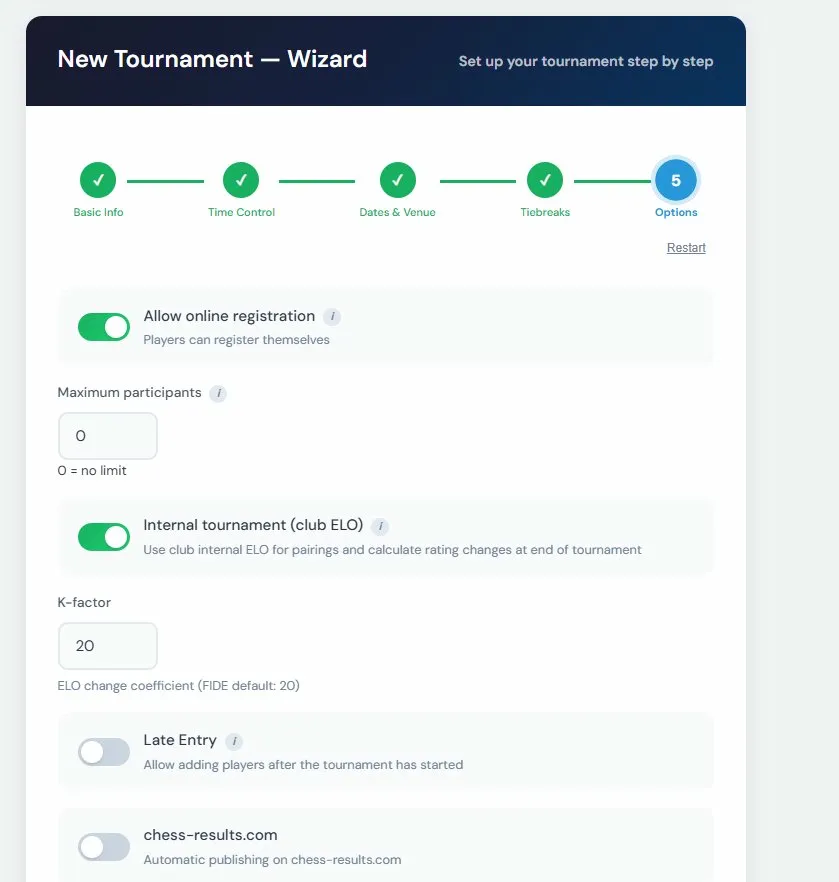
When creating your tournament, in Step 5 (Options) of the Wizard, make sure to enable these two toggles:

  1. Internal tournament (club ELO) - this tells the system to use your club's internal ELO for pairings and rating calculations
  2. Allow online registration - so you can add players from your database

Once the tournament is created, you'll be in the Registration phase where you can search your players by name in the "Add single player" box and register them one by one.

In short:


Hope this helps! Let us know if you have any questions.

Edited on 26/03/2026 14:10
Log in to join the discussion
This site uses technical and analytics cookies to improve your experience.